GameTranslator Linux
A downloadable Screen Translator for Linux
🐧 GameTranslator: Linux Vision
Break the language barrier in Linux Gaming!
Have you ever had to click through a story-rich RPG or visual novel without understanding the language? Or perhaps you're playing a native Linux game that lacks localization? Your worries are over.
Introducing GameTranslator: Linux Vision!
GameTranslator: Linux Vision is a powerful tool designed specifically for the Linux ecosystem. It detects and translates foreign text on your screen in real-time, delivering the story without interrupting your gameplay. Powered by Google Translate and advanced OCR technology, this tool brings universal accessibility to Linux gaming.
⭐ Key Features
Built for Linux (Wayland & X11): Unlike other tools, Vision works seamlessly on modern Linux desktop environments like GNOME and KDE Plasma, with Wayland support via Grim/Spectacle integration.
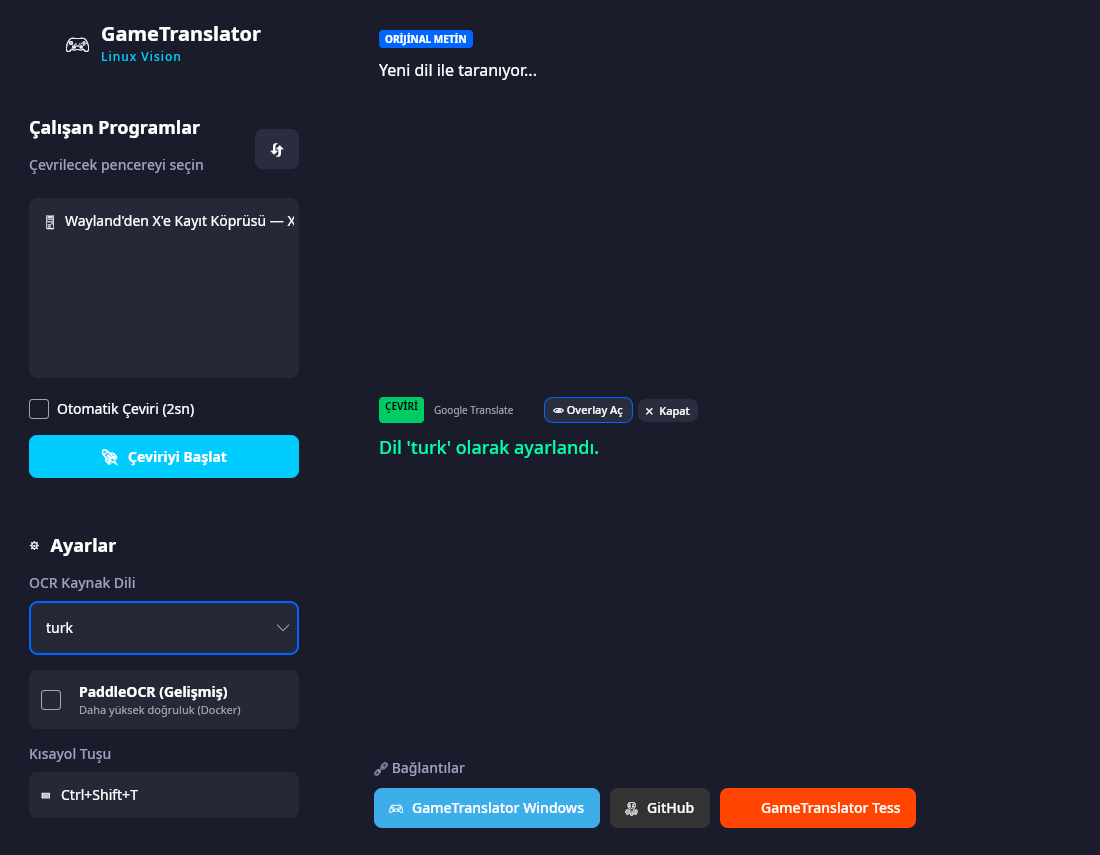
Smart Auto-Mode: No need to click every time! Enable "Auto Mode" and let Vision scan and translate your screen automatically every few seconds.
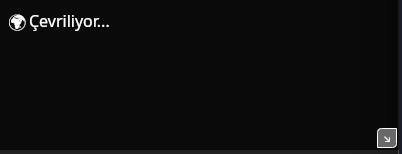
Dynamic Overlay Window: View translations in a sleek, transparent window that overlays your game. Drag it anywhere or resize it using the grip in the bottom-right corner.
Intelligent Language Detection: Automatically switches target languages based on your source selection for a smoother experience.
High Compatibility: Works with native Linux games, Steam Proton games, and emulators running in windowed or borderless modes.
Free: Developed with the Linux spirit in mind—transparent, free, and powerful.
📥 Installation Guide
⚠️ IMPORTANT: For this application to work correctly, you must have a screenshot tool and ImageMagick installed.
1. Install Dependencies
Run the appropriate command for your distribution in the terminal:
Ubuntu / Debian / Mint:
sudo apt install gnome-screenshot imagemagick
Fedora:
sudo dnf install gnome-screenshot ImageMagick
Arch Linux:
sudo pacman -S gnome-screenshot imagemagick
2. How to Run
- Extract the ZIP file
- Open a terminal inside the extracted folder
- Grant execution permission:
chmod +x GameTranslator.Linux
- Run the application:
./GameTranslator.Linux
🐧GameTranslator: Linux Vision
Linux'ta oyun oynarken dil bariyerine takılmayın!
Sevdiğiniz bir RPG'yi, Metaphor: ReFantazio 'i veya strateji oyununu sırf dilini anlamadığınız için yarıda mı bıraktınız? Artık endişelenmeyin.
Karşınızda GameTranslator: Linux Vision!
GameTranslator Linux Vision, Linux (Wayland & X11) üzerinde çalışan oyunlardaki yabancı metinleri anlık olarak algılayan, çeviren ve oyun deneyiminizi bölmeden ekranın üzerine yansıtan güçlü bir araçtır. Gücünü Google Translate ve gelişmiş OCR (Optik Karakter Tanıma) teknolojisinden alan bu "Vision" sürümü, Linux oyuncuları için özel olarak tasarlandı.
⭐ Ana Özellikler
- Linux İçin Özel Mimari (Wayland & X11): Sadece X11 değil; modern Wayland (GNOME, KDE Plasma) masaüstü ortamlarında bile sorunsuz ekran yakalama ve çeviri yeteneği.
- Akıllı Otomatik Mod: Her seferinde tuşa basmanıza gerek yok! "Otomatik Mod"u açın, Vision sizin için ekranı periyodik olarak tarasın ve çeviriyi güncellesin.
- Dinamik Overlay Penceresi: Çevirileri oyunun üzerinde, şeffaf bir pencerede görün. Pencereyi istediğiniz yere sürükleyin, sağ alt köşesinden tutup boyutunu ayarlayın.
- Akıllı Dil Algılama: Kaynak dili değiştirdiğinizde sistem bunu algılar ve hedef dili otomatik olarak İngilizce'ye (veya uygun dile) çevirir.
- Geniş Uyumluluk: Tam ekran, pencere modu veya kenarlıksız pencere modunda çalışan çoğu oyunla ve emülatörle uyumludur.
- Ücretsiz: Linux felsefesine uygun olarak tamamen şeffaf ve ücretsiz.
📥 Kurulum ve Kullanım Kılavuzu
⚠️ ÖNEMLİ: Uygulamanın çalışması için sisteminizde ImageMagick ve ekran görüntüsü aracı yüklü olmalıdır.
1. Gerekli Paketlerin Yüklenmesi Terminali açın ve dağıtımınıza uygun kodu yapıştırın:
- Ubuntu / Debian / Mint / Pardus:
sudo apt install gnome-screenshot imagemagick - Fedora:
sudo dnf install gnome-screenshot ImageMagick - Arch Linux:
sudo pacman -S gnome-screenshot imagemagick
2. Uygulamayı Çalıştırma
- İndirdiğiniz ZIP dosyasını klasöre çıkarın.
- Klasörün içinde terminal açın.
- Şu komutu yazarak çalıştırma izni verin:
chmod +x GameTranslator.Linux - Uygulamayı çalıştırın:
./GameTranslator.Linux
Developed by Teknolojik Adam
Download
Development log
- GameTranslatorLinuxV0.3 Update Note35 days ago
- GameTranslatorLinuxV0.2 Update Note59 days ago
Leave a comment
Log in with itch.io to leave a comment.