Emanager File Explorer
A downloadable Emanager File Explorer for Windows
📂 Emanager File Explorer v0.3
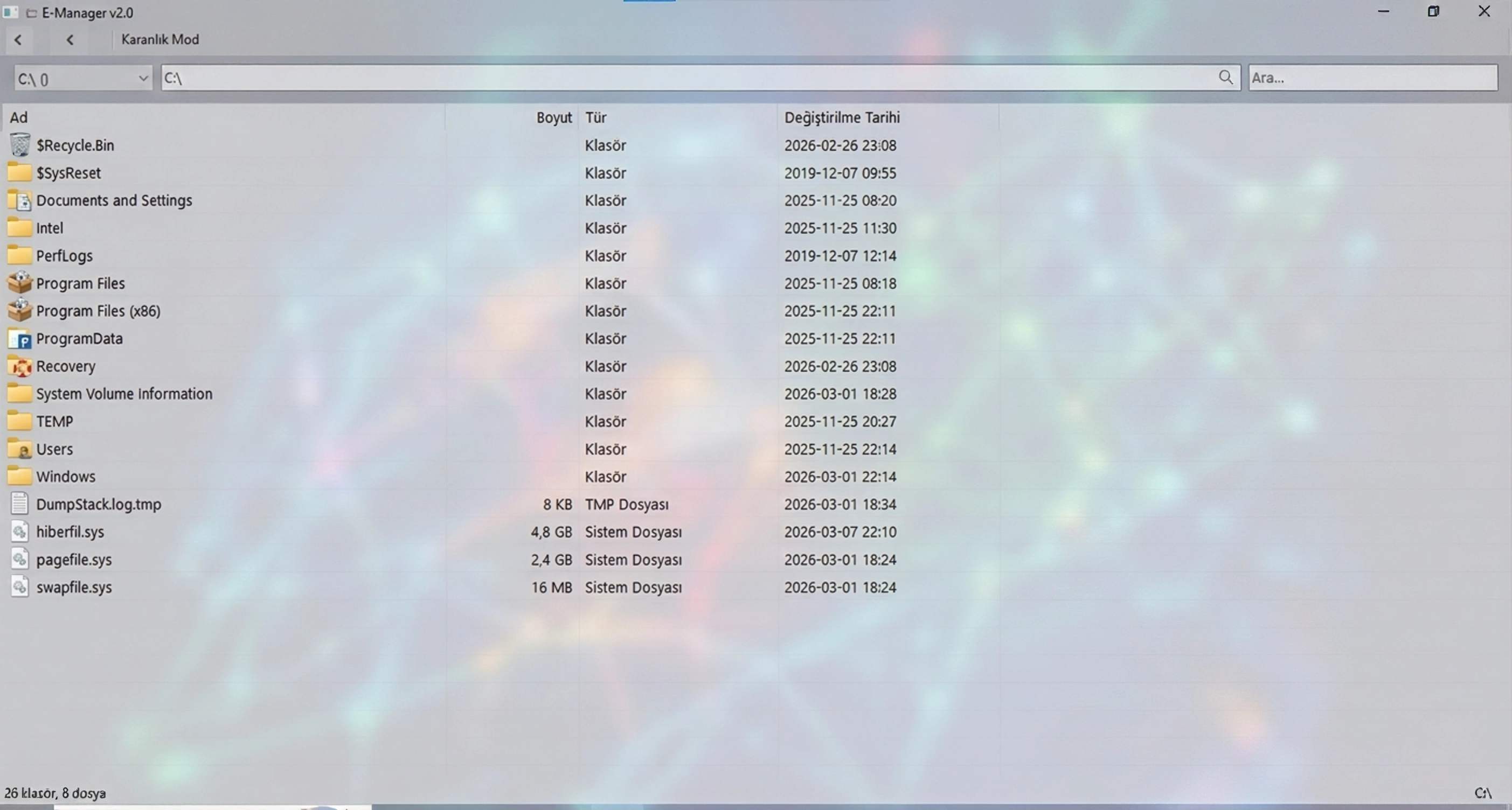
Emanager is a file explorer application developed using C# and WinForms technologies for Windows operating systems; it offers basic file management functions with a modern, lightweight, and powerful interface.
It is designed as a fast and customizable alternative to the standard Windows Explorer.
✨ Featured New Features (v0.3)
Advanced File Operations: Support for copying (Ctrl+C), moving (Ctrl+X), and pasting (Ctrl+V) files and folders.
Automatic renaming (1, 2, etc.) when files have the same name.
Modern Theme System: Support for instant Light and Dark theme changes with a single click.
Theme preferences are saved between sessions.
Advanced Search: Real-time filtering with wildcard (*.txt, test*, .doc) and partial match support.
Terminal Integration: "Open Terminal Here" feature to access the command line directly in your working directory.
NLog-Based Logging System: All operations and errors within the application are meticulously logged in log files in the AppData folder.
🛠️ Technical Specifications
Speed and Performance: Smooth user experience with DoubleBuffered ListView structure.
Keyboard Shortcuts:
F2: Rename
F5: Refresh
Enter: Open
Backspace: Parent Folder
Delete: Delete
Data Management: User settings and last directory information are securely stored in the %APPDATA%\Emanager\settings.ini file.
📋 Requirements & Installation
.NET Framework 4.7.2 or higher is required.
Visual Studio 2019+ and NLog 3.1.0.0 package are used to compile the project.
For installation, simply clone the repository, open the Emanager.sln file, and compile.
----------------------------------------------------------------------------------------------------------
📂 Emanager Dosya Gezgini v0.3
Emanager, Windows işletim sistemleri için C# ve WinForms teknolojileri kullanılarak geliştirilmiş; temel dosya yönetimi işlevlerini modern, hafif ve güçlü bir arayüzle sunan bir dosya gezgini uygulamasıdır
Standart Windows Gezgini'ne hızlı ve özelleştirilebilir bir alternatif olarak tasarlanmıştır.
✨ Öne Çıkan Yeni Özellikler (v0.3)
Gelişmiş Dosya İşlemleri: Dosya ve klasörleri kopyalama (Ctrl+C), taşıma (Ctrl+X) ve yapıştırma (Ctrl+V) desteği
Aynı isimde dosya varsa otomatik isimlendirme (1, 2, vb.) özelliği mevcuttur
Modern Tema Sistemi: Tek tıkla anında değişen Aydınlık (Light) ve Koyu (Dark) tema desteği
Tema tercihleri oturumlar arasında kaydedilir
Gelişmiş Arama: Wildcard (*.txt, test*, .doc) ve kısmi eşleşme (partial match) desteği ile gerçek zamanlı filtreleme
Terminal Entegrasyonu: Çalıştığınız dizinde doğrudan komut satırına erişmek için "Terminali Buradan Aç" özelliği
NLog Tabanlı Kayıt Sistemi: Uygulama içindeki tüm işlemler ve hatalar AppData klasöründeki günlük dosyalarına detaylıca kaydedilir
🛠️ Teknik Özellikler
Hız ve Performans: DoubleBuffered ListView yapısı ile akıcı bir kullanıcı deneyimi
Klavye Kısayolları:
F2: Yeniden Adlandır
F5: Yenile
Enter: Aç
Backspace: Üst Klasör
Delete: Sil
Veri Yönetimi: Kullanıcı ayarları ve son dizin bilgisi %APPDATA%\Emanager\settings.ini dosyasında güvenle saklanır
📋 Gereksinimler & Kurulum
.NET Framework 4.7.2 veya üstü gereklidir
Projeyi derlemek için Visual Studio 2019+ ve NLog 3.1.0.0 paketi kullanılır
Kurulum için repoyu klonlayıp Emanager.sln dosyasını açmanız ve derlemeniz yeterlidir
Download
Development log
- V0.31 day ago
Leave a comment
Log in with itch.io to leave a comment.